

Last Friday, I had the opportunity to give a talk about bot traffic at WordCamp Netherlands. For those who weren't there, or who'd like to read through it again at their leisure, here's the content of the presentation in blog form.
An online store that suddenly goes offline. No sales spike, no campaign that went viral—just a few bots that wanted to test every conceivable filter combination. At Superspace, we’re seeing situations like this more and more often. More than half of all web traffic now comes not from people, but from bots. You want to let some in, but others you’d rather keep out. In this blog post, I’ll walk you through what’s changed recently, why it’s taking sites offline, and what you can do about it.
How Things Used to Be
Automated traffic isn’t new. For years, search engines like Google have been visiting your site, and scanners and scrapers have been around for a while, too. But Googlebot was a good guy. It crawled your site at a leisurely pace, stuck to what was in your robots.txt file, and simply identified itself. And more importantly: you got something in return—a listing on Google, and therefore visitors.
In addition, Googlebot only visited pages that were in the index or links that you could click on the site. Straightforward.
What Has Changed
With the rise of AI, we’re actually seeing three new types of bots. Training bots aim to collect as much data as possible to train an AI model. Search or user bots visit your site the moment someone asks an AI assistant a question. And agents browse the internet on behalf of a user, sometimes even via the user’s own computer.
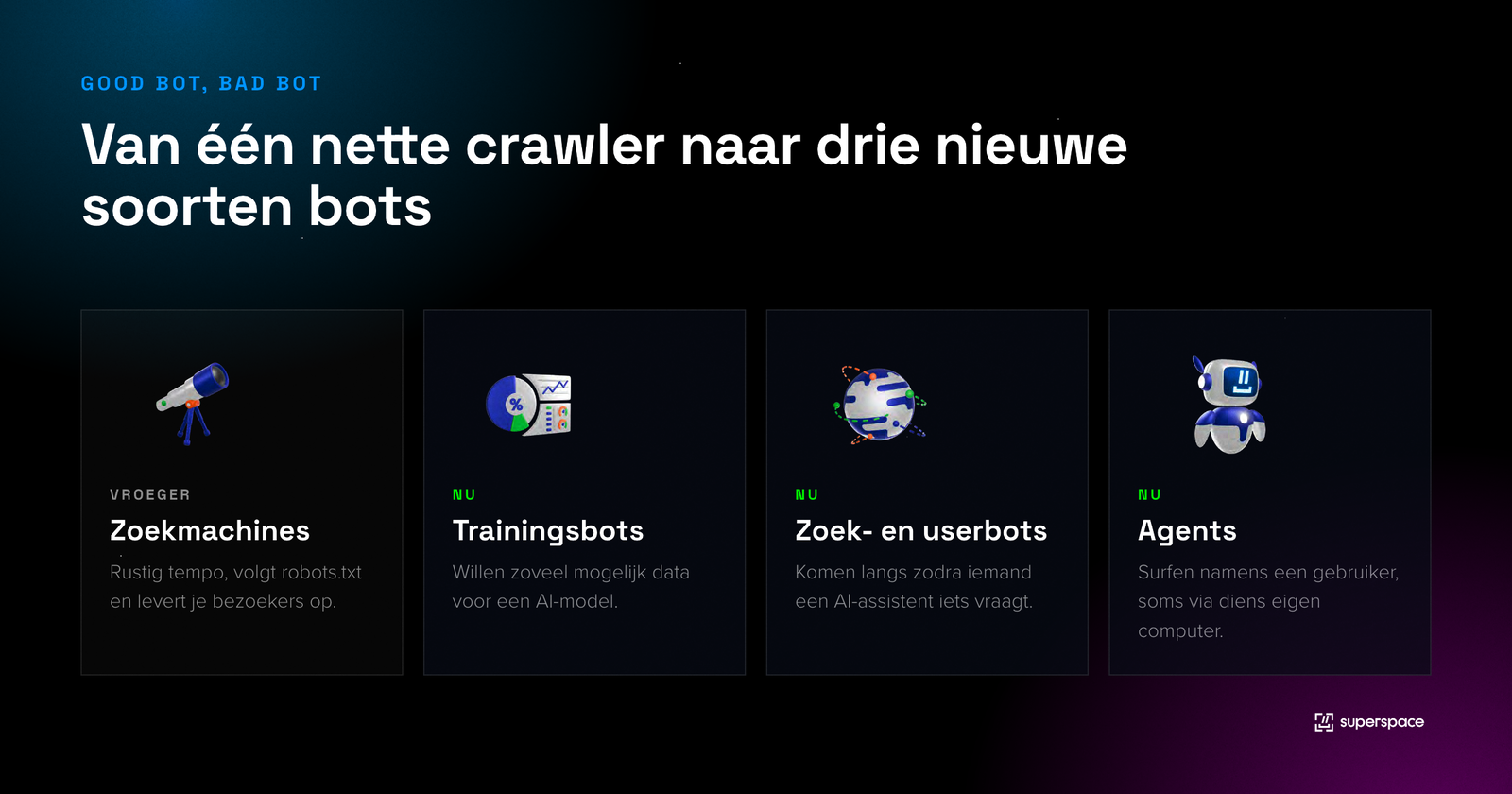
The difference lies not only in the quantity, but also in the behavior. Modern bots understand JavaScript and realize that a page changes when you click on something. So they click on filters, shopping cart buttons, and search fields—just to extract more information from your site. And your server notices that.
Why That Will Cause Your Site to Go Offline
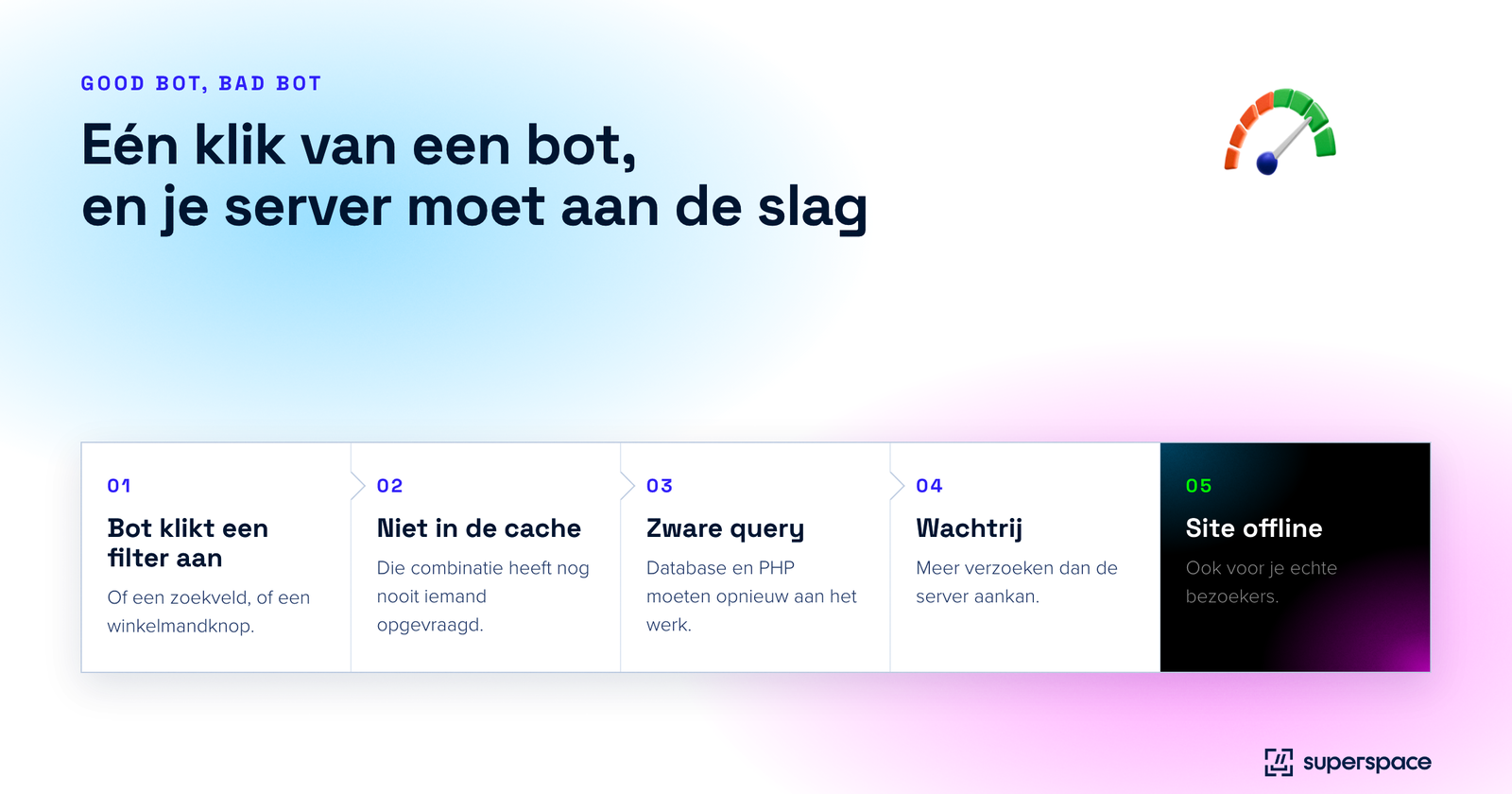
To explain this briefly: a typical visitor navigates through the menus, views a few pages, and is happy to wait a second for something to load. Those pages are often already in the cache, so the server doesn’t have to do much. A bot, on the other hand, follows the paths that aren’t in the cache. Every click on a filter triggers a new database query or a PHP script that has to run again. If that happens dozens of times per second, a queue builds up. The server receives more requests than it can handle, and then the site goes offline.
Here are a few real-world examples, anonymized. A news site with about 10,000 articles noticed bots scouring its archive en masse, looking for old articles that Google had indexed long ago.

The same site also received search queries containing random words. These almost certainly yield no results, but since each query is unique, it never comes from the cache and therefore requires a database query every single time.

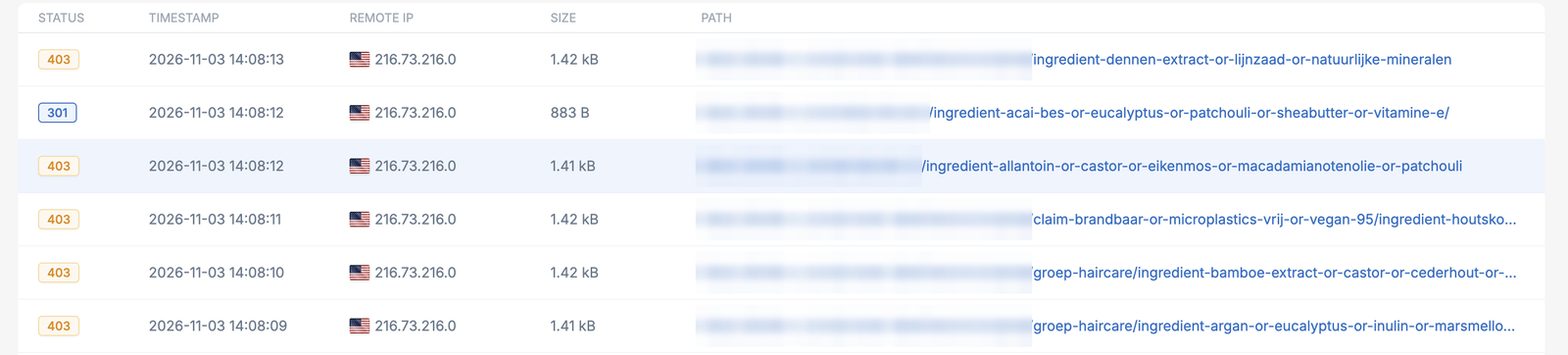
Then there’s the online store mentioned above. ‘Only’ 200 products, but it’s multilingual and features variations and filters. Together, that adds up to thousands of unique URLs. A bot then thinks there are a huge number of pages to index and doesn’t stop until it has seen every combination. In the logs, we saw a new filter combination appear every second, all coming from a single IP address.
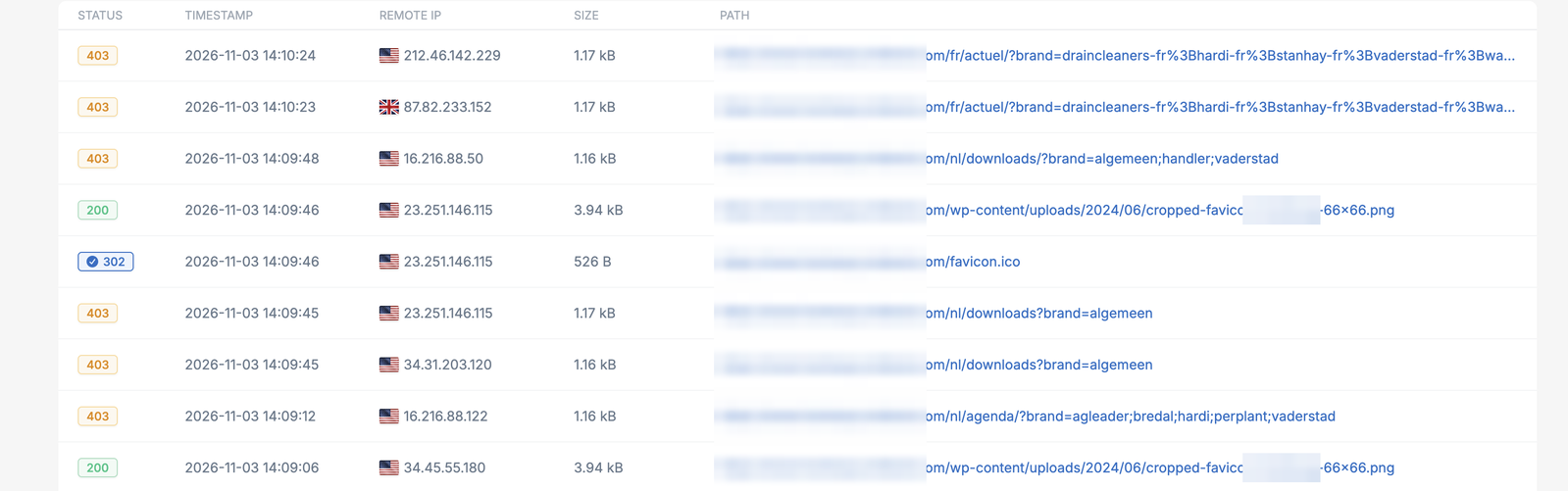
And a machinery supplier with an online catalog quickly began receiving all kinds of requests using the brand filter—in ever-changing combinations and from different IP addresses.
To be honest: a pattern we often see is that sites that struggle with this aren't always the best-built or best-optimized sites. We'll come back to that in a moment.
Blocking everything is not an option
That's a tough one. As a business, you obviously want to be recommended in ChatGPT and other AI assistants. But you also don't want to foot the bill for more expensive hosting just because AI companies are scraping your site.
In addition, not everyone is equally honest. Bots from the major, primarily Western parties usually present themselves neatly with a recognizable name. But we’re also seeing more and more traffic—often from Asia—that is clearly automated and originates from a data center, yet masquerades as a regular Chrome browser.
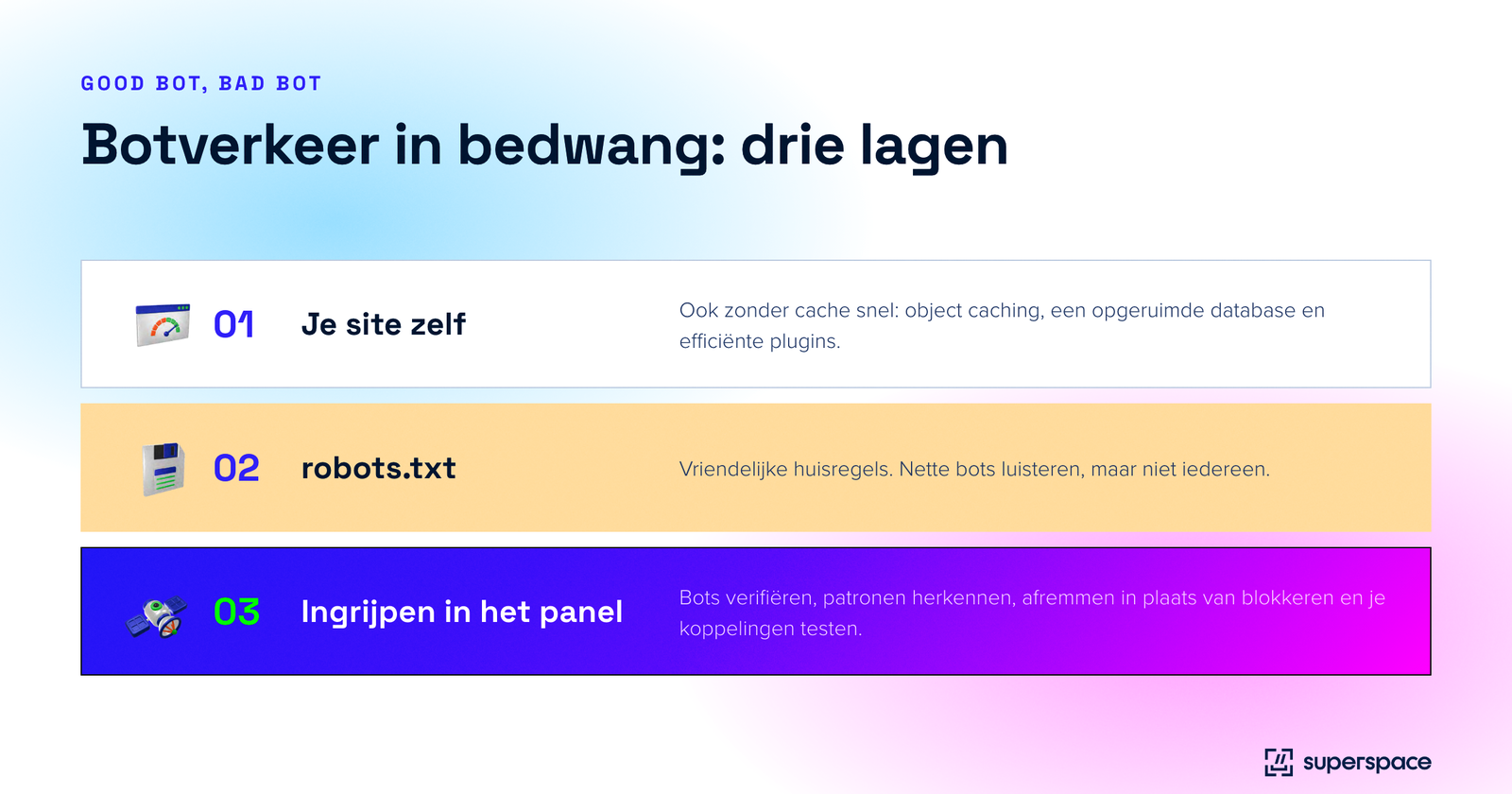
We therefore examine it in three layers.
Layer 1: Your site itself
Start with your own site. A full-page cache alone isn’t enough, because bots tend to crawl the pages that aren’t in the cache. Enable object caching, make sure your database is well-optimized, and choose efficient plugins and code. That way, even an uncached page will load quickly.
That helps more than you might think. If your site is fast, bots will finish scraping it more quickly. If your site goes offline, we’ve noticed that bots actually come back later to try again.
Layer 2: robots.txt
With robots.txt, you give bots instructions on what is and isn't allowed on your site—a sort of list of house rules. WordPress creates that file automatically, but you can add to it. You specify which URLs a bot is or isn't allowed to visit, possibly on a per-bot basis. For WooCommerce sites, this is a good standard:
User-agent: *
Disallow: /*?*add-to-cart=
Disallow: /*?*add_to_wishlist=
Crawl-delay: 10
With Crawl-delay, you ask bots to slow down—in this case, 10 seconds between two requests. But keep in mind: it’s still just a polite request, not a hard-and-fast rule. Bing adheres to Crawl-delay, while Googlebot ignores it. And not everyone listens anyway; Meta’s crawler has been an active scraper over the past year, regularly flouting robots.txt.
Lately, you’ve also been hearing a lot about llms.txt and Markdown versions of your site. On Monday, November 2, superspace.nl received exactly 10 requests for llms.txt, while robots.txt is accessed about 50 times per hour. More importantly, your site should have clean, well-structured HTML.
Level 3: Intervention
If bots don't follow the house rules, you can take action yourself. You can do this in our control panel, where you set rules that are enforced on your site. That way, a bot won't even reach your server.
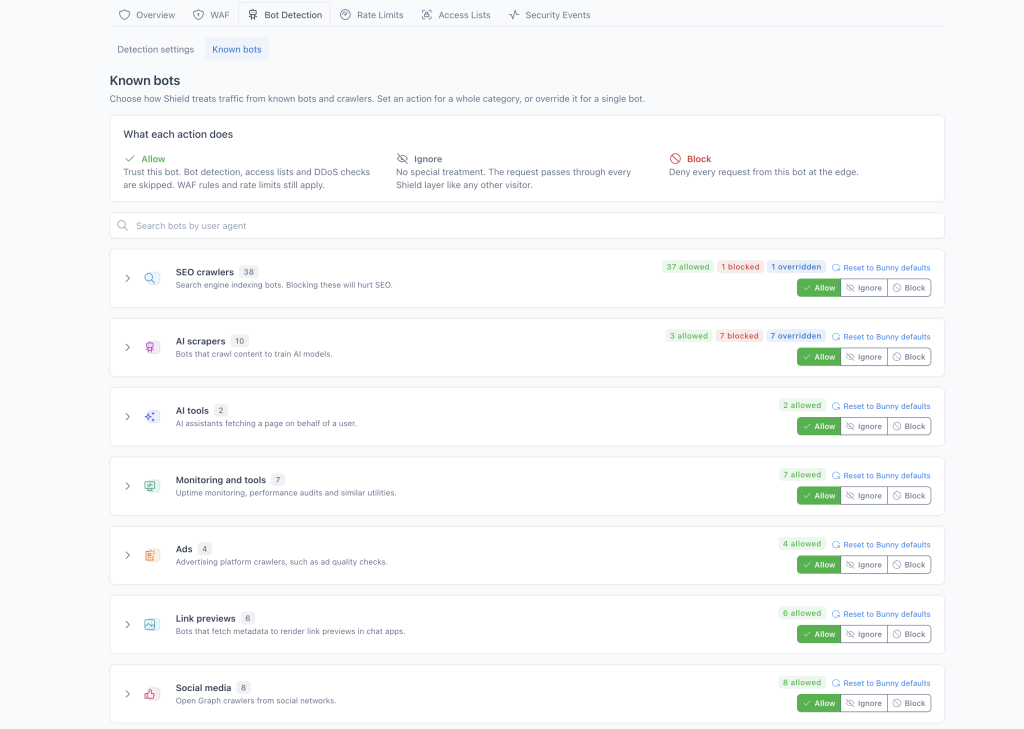
The first step is to verify bots. A ‘Googlebot’ coming from a Ziggo IP address is probably not Google. Using a technique called JA4 fingerprinting, we examine how the connection is established; a script that pretends to be Chrome will then be exposed. In the panel, you can then choose for each category what you want to do with known bots: allow them, treat them as normal traffic, or block them immediately.
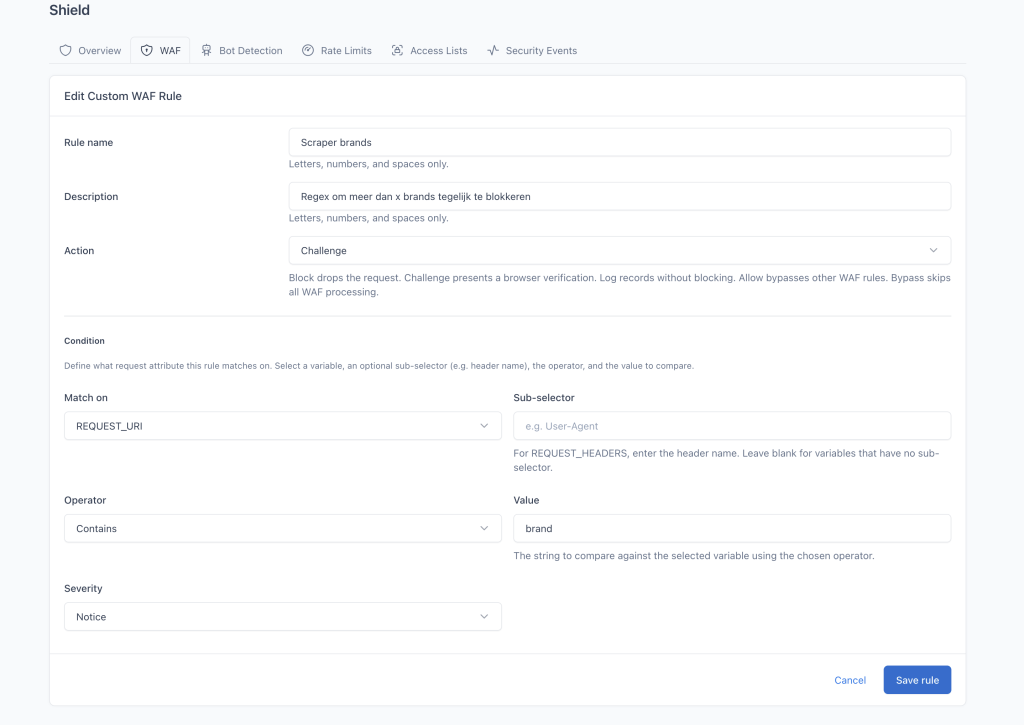
Next, look for patterns. Which URLs should bots avoid? In the examples above, those were the search function, the brand filter, and the shopping cart button. You can block those specifically, or you can have visitors complete a challenge first.
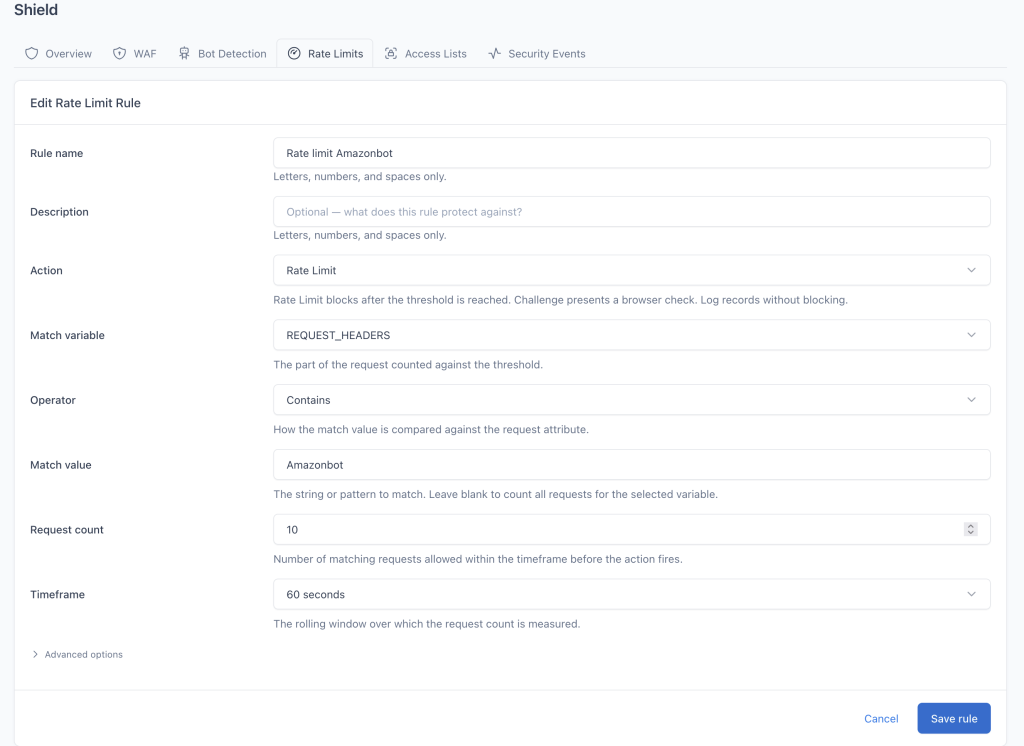
Instead of blocking bots, you can also slow them down. They’re allowed to visit, but not without limits. For the machine trade, we’ve set two rules. The Amazon bot is allowed to visit the brand filter as usual, but no more than 10 times per minute; if it exceeds that, it receives a notification that it’s going too fast. We count this not by IP address but by fingerprint, because the bot constantly changes IP addresses. And all other requests to the brand filter are subject to a challenge.
Here's another example: if someone opens more than one product page every 10 seconds, they'll be presented with a challenge. A regular visitor won't notice this, because the challenge runs in the background via JavaScript. A bot is blocked.
Finally: test your integrations. It would be a shame if you suddenly blocked your own Mollie webhooks, or if your connection with Channable or your own connection via the REST API stopped working.
And then there are the scanners
In addition to the AI bots, there’s another group that’s primarily looking for vulnerabilities. We block them with the firewall in our control panel. For example, it detects when someone requests all sorts of different PHP files in a short period of time, or tries to perform an SQL injection through a form.
In conclusion
Bots have become an integral part of our lives, and you don’t have to keep them all out. However, you can decide for yourself who gets in—and how quickly. A fast website, clear house rules, and a few smart settings in the control panel go a long way. I’m curious to see how this develops over the coming year; if AI assistants start browsing on people’s behalf more and more often, the difference between a good bot and a bad one might become increasingly hard to tell.

